

Get your external access token
Use the external access token for approved external integration APIs. Send it on every request in the X-External-Access-Token header.
Step 1: Log in to the portal
- Open your Akwad CXM .
- Sign in with your approved account.
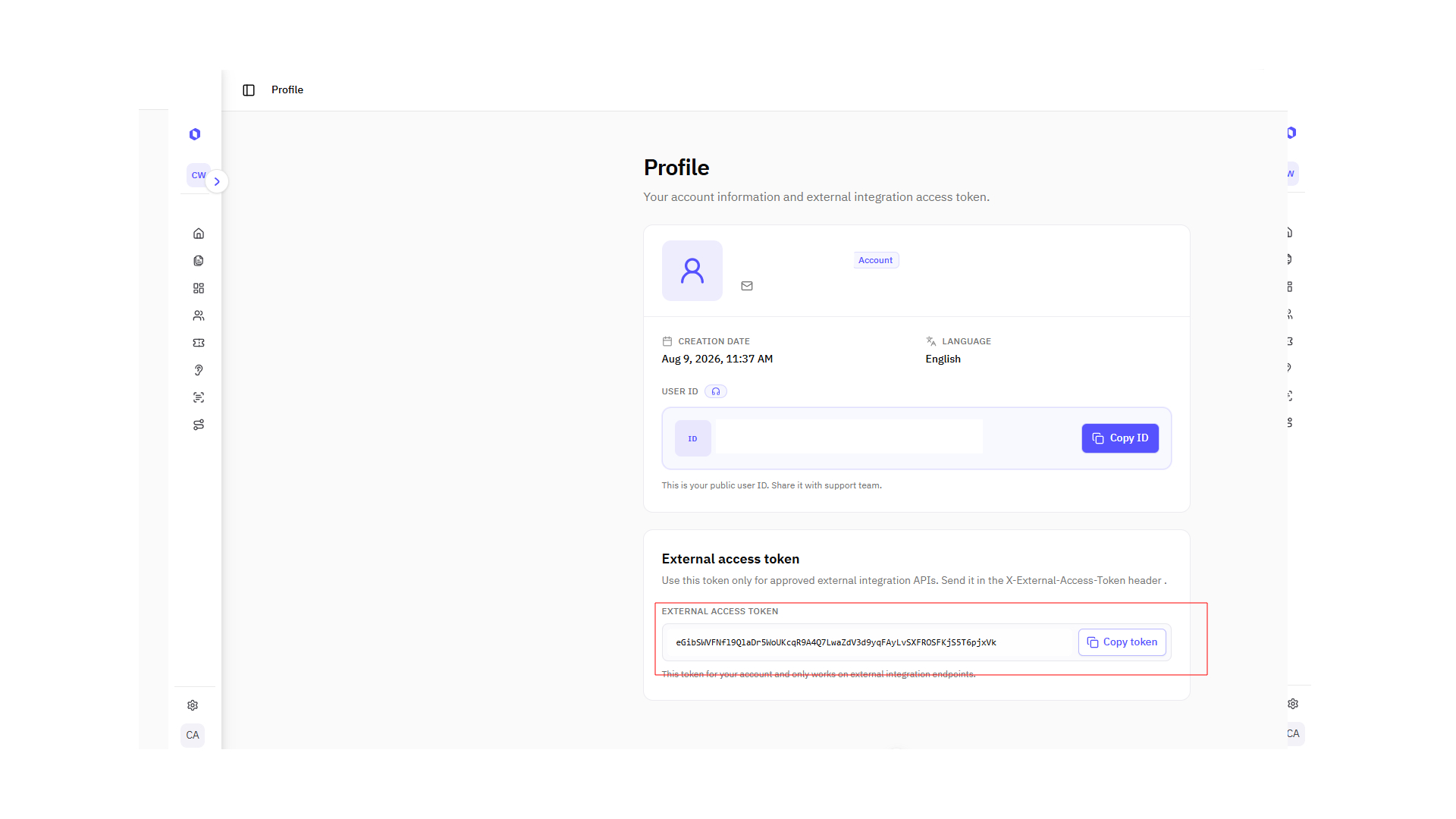
Step 2: Open Profile and copy the token
- In the sidebar, open the user menu at the bottom (your name and email).
- Select Profile.
- In the External access token card, copy the token with Copy token.
INFO
This token belongs to your account and works only on external integration endpoints. Do not share it publicly or commit it to source control.
Using the token in requests
Add this header to every external API request:
Authorization header
X-External-Access-Token: {your_token}Replace {your_token} with the value you copied from Profile.
Next: Send surveys via API